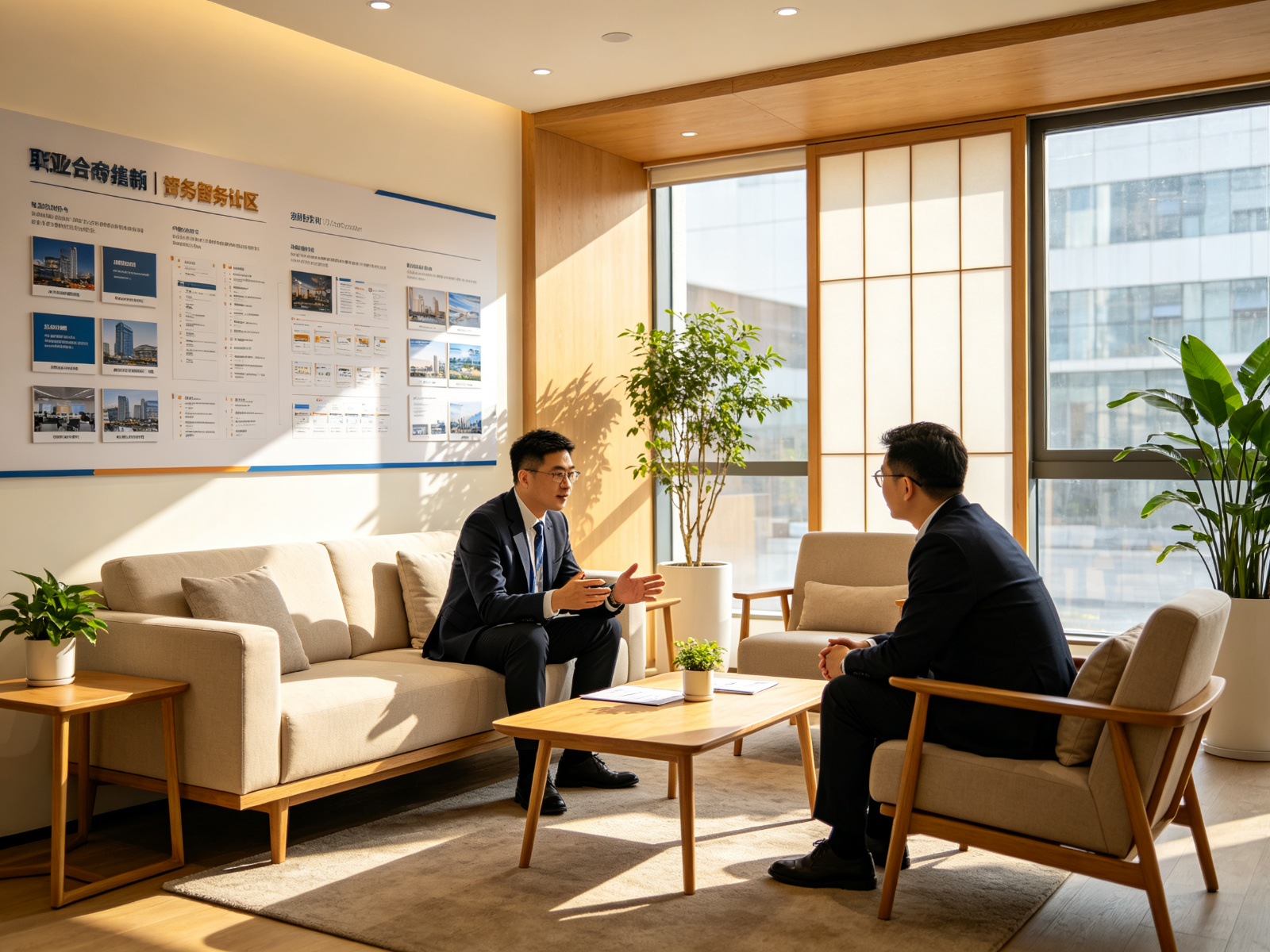
 AI 技能人工智能【免费下载链接】codex-ppt-skillGPT-Image-2 PPT Generator Skill for Creating Image-Based PowerPoint Presentations in Codex and Other Skill-Compatible Agents项目地址https://gitcode.com/gh_mirrors/co/codex-ppt-skill点击查看免费下载导读本文以 codex-ppt-skill 内置风格参考 教学课件风.md 为主体系统讲解该风格面向高校课程、专题讲座与技术培训场景的视觉体系——从适用场景、画布与配色、版式蓝图到渲染约束并串联仓库内的风格确认流程、样张机制、Slide Job 结构与image_gen.py命令行参数帮助读者在 Codex / OpenClaw 等 Skill 兼容 Agent 中直接复用或改造这一风格生成像专业学术课件而非营销 Pitch Deck的全图型 PPT。教学课件风teaching courseware是 codex-ppt-skill 内置的 12 套视觉风格参考之一其余见 outline-style-and-sample.md 中的内置风格列表。它服务的核心场景是用整页生成图像的方式制作高校课程、专题讲座、技术培训与知识科普 PPT要求页面同时承载文字、图解、图片和数据并且视觉上清晰、可信、有学术气质。上图即该风格的示例预览页以深蓝/浅蓝学术色调为主采用「三栏递进式」逻辑版式组织输入与规划 → 图文生成 → 教学成果的流程区块内按编号 标题 内容模块分层并容纳标题、正文、流程示意、图表、素材图标与课件缩略预览等多种教学元素——这正是本风格希望稳定输出的页面形态。适用场景与风格定位原文档明确列出教学课件风的适用场景高校课程、专题讲座与课堂教学技术培训、知识科普与专业能力建设概念讲解、体系梳理、案例分析与研究进展介绍需要同时呈现文字、图解、图片和数据的教学型演示。在仓库的流水线语境中见 SKILL.md 的默认工作流这套风格通常在Step 3「确认统一的视觉风格」阶段被选用当用户没有给出明确风格方向时主 Agent 会给出 23 个候选风格并推荐其一教学课件风就是面向教学/培训/学术汇报类内容的推荐候选之一。风格确认后它会以style_name的形式写进每个 Slide Job贯穿样张与全片生成。GPT-Image-2 风格 Brief 全字段解析教学课件风的核心资产是一份可直接投喂给 GPT Image 模型的 JSON Brief。它的设计原则是由课程内容塑造的专业课堂语气而非固定技术模板visual_direction原文a professional classroom tone shaped by the lesson rather than a fixed technical template。下面按字段逐一拆解。type 与 visual_direction{ type: 16:9 full-slide PowerPoint image, style_name: 教学课件风, best_for: 高校课程、专题讲座、技术培训、知识科普、概念讲解、体系梳理、案例分析和研究进展介绍, visual_direction: clear and credible academic courseware with structured knowledge communication, evidence-supported explanation, discipline-appropriate visuals, and a professional classroom tone shaped by the lesson rather than a fixed technical template }type固定为16:9 full-slide PowerPoint image与仓库的整页图片制图模式一致——每个最终origin_image/slide_XX.png都是一张完整的 16:9 页面图像见 slide-generation-and-subagents.mdvisual_direction是全风格的一句话纲领学术课件感 结构化知识传达 证据支撑的讲解 随学科/课程内容变化的专业课堂语气。canvas画布、背景与密度canvas: { aspect_ratio: 16:9, background: white or very light cool gray with restrained pale-blue structural accents, composition: structured teaching slide with a clear title hierarchy and a content-driven combination of text, images, diagrams, charts, formulas, source material, annotations, or comparisons selected according to the lesson objective, density: balanced teaching density: substantial enough to support explanation, but never sparse, paragraph-heavy, or crowded; use strong grouping, alignment, and readable whitespace }背景为白色或极浅冷灰仅以克制的淡蓝作为结构性强调构图由教学目标驱动而非固定模板文字、图解、图表、公式、素材、批注、对比按需组合密度要求平衡的教学密度足以支撑讲解但绝不稀疏、绝不整段堆文字、绝不拥挤强调分组、对齐与可读留白。color_palette学术蓝系统color_palette: { primary: deep academic navy #0B2E6D and clear blue #1769AA, secondary: light blue #EAF3FB and cool gray #F3F6F9, accent: choose a small set of restrained auxiliary colors according to the subject matter, source material, and semantic categories, neutral: ink black #1F2937, body gray #4B5563, border gray #D7E0EA, rule: use the blue system to establish the teaching structure; select auxiliary colors only when the content needs semantic distinction, then apply them consistently rather than decoratively }配色是这套风格最可机器解析的部分角色色值用途主色深学术藏蓝#0B2E6D、明蓝#1769AA标题层级、教学结构骨架次级色淡蓝#EAF3FB、冷灰#F3F6F9区块分隔、浅色衬底强调色按学科与语义类别择取的一小组克制的辅助色语义区分且必须全片一致中性色墨黑#1F2937、正文灰#4B5563、边框灰#D7E0EA正文、描边rule是关键约束蓝色系统负责建立教学结构辅助色仅在内容需要语义区分时才启用且一旦启用就全片一致地使用而非当作装饰。这与 slide-generation-and-subagents.md 中same palette, typography, icon language, texture, and mood across all slides的 deck 一致性要求互相呼应。typography中文无衬线排印typography: { title: large bold Chinese sans-serif resembling Microsoft YaHei or Source Han Sans, usually dark navy, concise and immediately readable, body: compact but readable Chinese sans-serif with clear indentation and short explanatory phrases, labels: bold short labels with strong contrast, used when hierarchy or semantic categories need clarification rather than as mandatory card decoration, text_quality: all Chinese text, Latin terms, formulas, units, and data labels must be exact, readable, and non-garbled }标题近似微软雅黑 / 思源黑体的大号粗体中文无衬线通常深藏蓝、简明、一眼可读正文紧凑但可读的中文无衬线强调缩进清晰与短语化表达标签仅用于澄清层级或语义类别不是强制的卡片装饰text_quality所有中文、拉丁术语、公式、单位与数据标签必须精确、可读、不乱码。这也是仓库流水线的硬性要求——slide-generation-and-subagents.md 明确要求中文 deck 必须显式要求后端准确渲染中文且 slide-worker.md 在子代理返回前必须检查Chinese text is readable and not garbled。title_system标题系统title_system: { consistency_rule: Keep title typeface, weight, color logic, alignment, and spacing consistent across slides of the same page type., cover: May combine a large course title with one or more subject-relevant visuals and concise presenter or course information; choose the visual structure according to the discipline and topic., section_divider: May use a concise section title with stronger whitespace and a restrained academic cue., content_slide: Keep the page topic immediately recognizable, but let title alignment, supporting accents, and surrounding composition adapt to the teaching content., closing: Use a concise acknowledgement or closing statement together with a subject-relevant visual or summary echo; keep the page informative and visually complete rather than leaving a nearly empty text-only slide., flexibility: Treat the title system as a consistency guide rather than a fixed template. Do not force every slide into the same header, rule, alignment, or decorative treatment. }标题系统不是每页同一个页眉模板而是一套一致性指南consistency_rule同类型页面之间标题字体、字重、颜色逻辑、对齐与间距保持一致cover大课程标题 学科相关的视觉素材 简明的讲者/课程信息视觉结构随学科与主题选择section_divider章节页可用更克制的学术提示符 更强留白content_slide页面主题必须一眼可辨但标题对齐、辅助强调与周边构图可随教学内容调整closing收尾页用简短的致谢/结语 学科相关视觉或总结呼应不能是近乎空白的纯文字页flexibility只做一致性引导禁止把每页都塞进相同的页眉、分隔线、对齐与装饰。layout_patterns八种教学页面模式layout_patterns: [ course cover combining a clear title hierarchy with subject-relevant visual material and concise course information, concept explanation using the most suitable combination of diagrams, images, definitions, formulas, source excerpts, or annotated examples, sequence, process, development, or causal explanation with a clear viewing order, comparison or relationship page whose structure follows the concepts being contrasted or connected, case, text, artwork, experiment, event, or application analysis supported by relevant evidence and explanation, overview or synthesis page organizing examples, themes, findings, or knowledge relationships, knowledge summary using a concise framework, conclusion, or takeaway, closing or acknowledgement page combining a short closing statement with a restrained subject-relevant visual ]八种模式对应课程封面、概念讲解、过程/序列/因果、对比/关系、案例/材料/证据分析、总览/综合、知识总结、致谢收尾。这与仓库在 slide-generation-and-subagents.md 中推荐的页面角色清单cover / section divider / context / process / comparison / data evidence / architecture / summary 等高度同构——风格参考提供的页面模式正是 Slide Job 中layout.role与layout.intent字段的可选值来源。layout_usage_rule模式即候选不强制重复layout_usage_rule: Choose the layout that best supports the teaching objective and viewing sequence. Every slide should combine meaningful visual explanation with readable text; use one strong visual or several complementary photographs, diagrams, charts, maps, formulas, documents, artworks, screenshots, or annotated examples according to the discipline and content. Keep the visual language coherent without forcing every page into cards, equal columns, or one repeated composition.规则要点每页必须有意义的视觉解释 可读文本并存根据学科与内容选择一张强视觉或若干互补视觉照片、图解、图表、地图、公式、文档、艺术作品、截图、批注示例保持视觉语言连贯但禁止把每页都压进卡片、等宽分栏或同一套重复构图。仓库中 slide-generation-and-subagents.md 亦明确Avoid generating every slide as the same three-card layout——这与本风格规则同源。layout_blueprints三套可复用构图蓝图layout_blueprints: [ { name: 概念 / 知识讲解, sections: [ {position: title area, count: 1, labels: [lesson question or core concept]}, {position: primary teaching field, count: 1, labels: [the most suitable visual and explanatory structure for the concept]}, {position: supporting field, count: 1, labels: [definitions, examples, evidence, annotations, or implications as needed]} ] }, { name: 过程 / 关系讲解, sections: [ {position: title area, count: 1, labels: [process, development, comparison, or relationship topic]}, {position: primary relationship field, count: 1, labels: [sequence, cause, contrast, hierarchy, interaction, or transformation]}, {position: supporting field, count: 1, labels: [conditions, examples, evidence, annotations, or summary as needed]} ] }, { name: 案例 / 材料 / 证据, sections: [ {position: context field, count: 1, labels: [case, text, event, artwork, experiment, or application context]}, {position: evidence field, count: 1, labels: [relevant visual material, source excerpt, data, observations, or comparison]}, {position: teaching conclusion field, count: 1, labels: [interpretation, lesson learned, or takeaway]} ] } ]三套蓝图覆盖教学最常见的信息组织方式概念 / 知识讲解标题区课程问题或核心概念 主教学区最适合该概念的视觉与讲解结构 支撑区定义、示例、证据、批注或引申过程 / 关系讲解标题区过程/发展/对比/关系主题 主关系区顺序、因果、对比、层级、交互或转化 支撑区条件、示例、证据、批注或总结案例 / 材料 / 证据情境区案例、文本、事件、作品、实验或应用情境 证据区相关视觉材料、原始摘录、数据、观察或对比 教学结论区解读、经验或要点。重要提示layout_blueprints是候选起点而非固定模板。仓库 outline-style-and-sample.md 与 slide-generation-and-subagents.md 反复强调风格是稳定的调色板/排版/图标语言/质感/氛围 随页面角色变化的版式不应把同一蓝图套到每一页。visual_elements允许与避免visual_elements: { allowed: discipline-relevant photographs, artworks, archival documents, source excerpts, maps, formulas, tables, charts, diagrams, screenshots, multi-image evidence groups, annotated images, timelines, relationship structures, restrained icons, and subtle academic background texture; cards and grids may be used when they genuinely clarify the material but are not the default, avoid: text-only pages, purely decorative illustration, repetitive card grids, default three-column layouts, generic AI-looking imagery, unsupported futuristic or technical styling, random 3D icons, playful stickers, excessive gradients, heavy shadows, glossy elements, inconsistent icon styles, dense ungrouped text, unrelated stock imagery, and ornamental layouts that weaken the teaching sequence }允许学科相关的照片、艺术作品、档案文献、原始摘录、地图、公式、表格、图表、图解、截图、多图证据组、批注图、时间线、关系结构、克制的图标、微妙的学术背景纹理卡片与网格仅在确实有助于澄清材料时使用而非默认避免纯文字页、纯装饰插图、重复的卡片网格、默认三栏布局、AI 感明显的图像图内伪造文字、不合理的照片细节、通用发光科技特效、随机装饰物、重复模板式构图、无依据的未来感/科技风、随机 3D 图标、俏皮贴纸、过度渐变/重阴影/高光、图标风格不统一、密集无分组的文字、无关的图库图片以及削弱教学序列的装饰性版式。image_treatment各类素材的处理方式image_treatment: { photos: use relevant and credible course or case images as evidence, crop them consistently, and pair them with concise explanatory labels; one page may use a single main image or several complementary images when they explain different aspects of the topic, screenshots: place inside clean frames and preserve important interface details, annotations, and labels, charts: use the palette semantically, retain accurate axes and values, and emphasize the comparison or trend being taught, illustrations: choose diagrams, maps, explanatory drawings, documentary collage, symbolic graphics, or other illustration treatments appropriate to the discipline and lesson; avoid decorative scenes that do not teach anything, discipline_materials: treat formulas, artworks, historical documents, literary excerpts, medical images, scientific figures, and other subject-specific materials as valid visual evidence when relevant and accurately represented }照片作为证据使用统一裁切并配简明说明标签一页可用单张主图也可用多张互补图截图放进干净的外框保留界面关键细节、批注与标签图表按调色板语义上色保留准确的坐标轴与数值突出要讲解的比较或趋势插画选择与学科和课程适配的图解、地图、解释性绘图、纪实拼贴、象征性图形等避免不教任何东西的装饰性场景学科材料公式、艺术作品、历史文献、文学摘录、医学影像、科学图等只要相关且被准确呈现就视为有效视觉证据。rendering_constraints渲染约束清单rendering_constraints: [ The slide must look like professional academic courseware, not a marketing pitch deck., Prioritize teaching sequence, conceptual clarity, and readable evidence over visual decoration., Every slide must contain both meaningful visual content and readable text; visuals should explain, demonstrate, compare, or provide evidence rather than merely decorate., Visual content may include photographs, diagrams, charts, maps, formulas, artworks, documents, source excerpts, screenshots, or other discipline-appropriate material; it does not always mean a decorative illustration., Avoid both underfilled slides and long blocks of prose. Convert dense explanations into diagrams, image groups, structured labels, or concise teaching points., Keep related information visibly grouped and maintain a clear viewing order., Avoid tiny text; split or simplify content when it cannot remain readable at presentation distance., Use semantic accent colors consistently across the deck., Do not force every slide into repeated cards, equal columns, a fixed module count, or an identical information grid., Avoid an obvious AI-generated look: no fabricated text inside images, implausible photo details, generic glowing technology effects, random decorative objects, or repetitive template-like compositions., Do not invent university, school, laboratory, company, or course logos; use only user-provided identity assets., Do not inherit topics, examples, imagery, terminology, or organizations from a style reference unless they are required by the source content., No watermark and no unrelated logo. ]渲染约束是本风格的验收红线共 13 条核心可归纳为五组身份正确像专业学术课件不是营销 Pitch Deck教学序列、概念清晰、可读证据优先于视觉装饰图文并存每页必须同时有有意义的视觉内容与可读文本视觉用于解释/演示/比较/提供证据而非纯装饰密度与可读性避免空洞页与长段落将密集解释转化为图解、图像组、结构化标签或简短教学要点相关信息可见分组、保持清晰观看顺序避免过小文字——在演示距离下不可读就拆分或简化内容一致性强调色全片一致使用不强制每页重复卡片、等宽分栏、固定模块数或相同信息网格反 AI 感与合规图内不出现伪造文字、离谱照片细节、通用发光科技特效、随机装饰物、重复模板构图不得编造大学/学校/实验室/公司/课程 Logo只用用户提供的身份素材不得从风格参考中继承主题、示例、图像、术语或机构除非源内容要求无水印、无关 Logo。在仓库流水线中落地这套风格风格参考不是孤立的 JSON它需要接入 codex-ppt-skill 的四段流程才能产出最终 PPT。第一步在风格确认阶段选用在 outline-style-and-sample.md 定义的风格确认环节主 Agent 会列出内置风格含references/教学课件风.md并给出 23 个候选通常推荐其一。选中教学课件风后需提取其可复用视觉规则调色板、排版方向、密度与留白、视觉元素处理并保持全片统一。仓库同时支持用户自定义风格存放到${CODEX_PPT_HOME:-~/.codex-ppt-skill}/references/其优先级高于同名内置风格详见 style-library.md。第二步样张验证按 outline-style-and-sample.md风格确认后应只生成 1 页代表性样张优先选内容页而非封面以验证风格对真实内容的适配能力存为{base_dir}/{deck_name}/origin_image/slide_XX.png请用户确认视觉风格、排版、版式密度与中文文字质量。教学课件风特别值得检查的点中文是否乱码、深蓝/浅蓝结构色是否稳定、辅助强调色是否全片一致、页面是否看起来像课件而非宣传册。样张通过后需把sample_generation_method含backend_used、tool_name、mode、prompt_source、approved_sample_path、handoff_rule等写入deck_spec.json再进入全片生产。第三步生成 Slide Job 并派发全片生成前用 prepare_slide_prompts.py 生成结构化的每页任务~/.codex-ppt-skill/.venv/bin/python {skill_root}/scripts/prepare_slide_prompts.py \ --spec {base_dir}/{deck_name}/deck_spec.json \ --out-dir {base_dir}/{deck_name} \ --selected-backend confirmed backend label \ --force产出prompts/slide_XX.json、slide_jobs.json与slide_run_state.json。每个prompts/slide_XX.json都是自包含的 Slide Job其 JSON 结构见 slide-generation-and-subagents.md与本风格 Brief 的字段一一对应{ type: 16:9 full-slide PowerPoint image, language: Chinese, canvas: { aspect_ratio: 16:9, use_full_canvas: true, slide_number: do not render a slide number }, style: { name: 教学课件风, visual_direction: {与样张一致的最终风格描述}, color_palette: {主色与强调色}, typography: {字体性格、层级、字重、文本对齐}, texture_and_finish: {flat, paper, dashboard, editorial, whiteboard, etc.}, deck_consistency: same palette, typography, icon language, texture, and mood across all slides }, deck_context: { source_summary: {源材料全局摘要}, core_claim: {deck 的核心论点}, canonical_terms: [{术语1}, {术语2}] }, layout: { role: concept | process | comparison | case study | ..., intent: {为什么本页使用该版式}, composition: {本页具体构图}, content_zones: {标题区、主体区、视觉区、页脚/标注区}, variation_rule: same style identity as the deck, but vary composition by slide role; do not repeat the same blueprint on adjacent slides unless the content is part of a deliberate repeated sequence, relationship_to_previous_slide: {新版式、延续版式、镜像版式或刻意重复序列}, spacing: clear hierarchy, coherent alignment, no overlapping elements }, text: { title: {本页标题}, key_points: [{要点1}, {要点2}, {要点3}], text_quality: render all Chinese text exactly, clearly, and without garbled characters }, local_context: { required_background: {本页自包含所需的背景事实、列表、定义、比较或前页引用} }, visual_elements: { main_visual: {图标、图解、图表、插画或内容特定视觉方案}, supporting_elements: {箭头、卡片、标注、装饰元素、标签} }, constraints: [ The final image itself must contain the title and key points., All text must be readable and correctly spelled., Keep the confirmed style consistent with the rest of the deck., No watermark, no unrelated logo, no extra slide number. ] }派发阶段slide-generation-and-subagents.md使用slide_job_status.py查看派发槽位、record_slide_dispatch.py记录派发、record_slide_result.py记录结果、record_slide_blocker.py记录阻塞。子代理交接遵循 slide-worker.md 模板其中强制要求风格必须匹配已批准的样张、中文可读且不乱码、必需素材必须可见包含不得用相似重绘替换、无重叠或截断的重要内容返回内容仅限backend_used、selected_source与一句qa_note。第四步CLI/API fallback 生成参数若环境无内置图片工具而使用 image_gen.py其默认参数与校验逻辑从源码 image_gen.py 可确认是默认模型gpt-image-2.5-flare可通过环境变量CODEX_PPT_IMAGE_MODEL覆盖默认尺寸2560x144016:9契合全页 PPT 图像quality默认medium输出格式默认pngGPT Image 2/2.5 系列尺寸校验长边 ≤ 3840px、宽高均为 16px 的倍数、长边/短边 ≤ 3:1、总像素在 655,360 8,294,400 之间见 image_gen.pyquality可选low / medium / high / xhigh / max / auto其中xhigh与max仅支持gpt-image-2.5-flare/gpt-image-2.5-sunburst见 image_gen.pygenerate子命令支持--prompt / --prompt-file、--out、--n、--force、--dry-run以及--augment默认开启的结构化提示词增强可把--style、--palette、--composition、--text、--constraints、--negative等字段拼入最终请求generate-batch子命令接收 JSONL 逐行任务--concurrency默认 5125、--max-attempts默认 3110、--fail-fast可选edit子命令支持--image可多次、--mask、--input-fidelity用于样张或局部问题的精修。后端选择的判定规则在 backend-selection.md 中优先内置图片工具Codex 通常为image_genOpenClaw 通常为image_generate只有在内置不可用、缺少必需能力或用户明确要求 API/CLI 时才切换 fallback且生成首图前必须向用户说明检查结果与所选后端。风格文件的结构约定与二次复用教学课件风作为内置风格其文件结构本身就是仓库 style-library.md 中保存可复用风格的参考模板。若要基于它沉淀一套自定义课件风格应按以下骨架组织风格文件存放于${CODEX_PPT_HOME:-~/.codex-ppt-skill}/references/{style_name}.md位于 skill 安装目录之外可随 skill 更新与重装而保留# {style_name} **适用场景:** - ... **GPT-Image-2 风格 Brief:** json { type: 16:9 full-slide PowerPoint image, style_name: {style_name}, best_for: ..., visual_direction: ..., canvas: { aspect_ratio: 16:9, background: ..., composition: ..., density: ... }, color_palette: { primary: ..., secondary: ..., accent: ..., neutral: ..., rule: ... }, typography: { title: ..., body: ..., labels: ..., text_quality: ... }, layout_patterns: [..., ...], layout_usage_rule: ..., layout_blueprints: [ { name: ..., sections: [ {position: ..., count: 1, labels: [...]} ] } ], visual_elements: { allowed: ..., avoid: ... }, image_treatment: { photos: ..., screenshots: ..., charts: ..., illustrations: ... }, rendering_constraints: [..., ...] }命名建议使用 28 个汉字的可复用风格名如深色数据科技风避免使用我的风格1这类模糊名称风格文件必须自包含、不得依赖外部文件且不得把用户私有内容原文、业务数据、客户名、论文结果、精确引文写入风格。 ## 常用 QA 检查清单 结合 [slide-generation-and-subagents.md](https://link.gitcode.com/i/5bc22b5f3ffa389e6c9a7579faf3303f) 的验收要求与本风格的 rendering_constraints使用教学课件风生成后建议逐页检查 1. **中文质量**标题、正文、术语、公式、单位与数据标签是否精确、无乱码 2. **风格一致性**深蓝/浅蓝结构色是否稳定强调色是否全片语义一致图标语言与质感是否统一 3. **素材保真**必需源素材实验图、架构图、数据图等是否可见且内容未被重绘篡改数据、坐标轴、标签、图例、数值需保留 4. **版式多样性**是否每页都是三栏卡片或同一网格是否按页面角色概念/过程/案例/总结选择了适配构图 5. **图文并存与可读性**每页是否既有有意义的视觉又有可读文本是否有过小文字、重叠、截断 6. **合规**无水印、无无关 Logo、无编造的机构 Logo、无图内伪造文字。 ## 小结 教学课件风在仓库中的定位是面向教学与培训场景的内置视觉系统它通过 visual_direction、画布、学术蓝配色、中文排印、标题系统、八种页面模式、三套构图蓝图与 13 条渲染约束把专业学术课件这一抽象目标翻译成可被 GPT Image 模型稳定执行的 JSON Brief。接入 codex-ppt-skill 的标准流水线后它贯穿风格确认 → 样张审批 → Slide Job 生成 → 子代理派发 → 结果记录与组装全流程并可与 [style-library.md](https://link.gitcode.com/i/b11b494629f50cd9166f42d375fb6d59) 配合沉淀为用户自定义风格。如需查看其余内置风格或整套工作流可继续阅读仓库的 [references/](https://link.gitcode.com/i/bd559dfa8b2f12ea8fccc5ab6175a429) 目录与 [docs/](https://link.gitcode.com/i/f05e4c8430c95aea3f9f1ae52a615c26) 下的各阶段文档。赞分享AI 技能人工智能【免费下载链接】codex-ppt-skillGPT-Image-2 PPT Generator Skill for Creating Image-Based PowerPoint Presentations in Codex and Other Skill-Compatible Agents项目地址https://gitcode.com/gh_mirrors/co/codex-ppt-skill点击查看免费下载相关推荐pyftpdlib终极指南如何用Python构建高性能FTP服务器pyftpdlib终极指南如何用Python构建高性能FTP服务器 pyftpdlib是一个 超快速且可扩展的Python FTP服务器库 它让开发者能够轻网络与通信PPT Master 工作坊教学风格Workshop Teaching设计规范全解从 9 类教学页角色到可复用的培训课件体系PPT Master 工作坊教学风格Workshop Teaching设计规范全解从 9 类教学页角色到可复用的培训课件体系 本文围绕 PPT MasteAI 技能人工智能AI 应用CodeCombat 计算机科学 2 课程指南从条件结构到事件处理的完整教学方案CodeCombat 计算机科学 2 课程指南从条件结构到事件处理的完整教学方案 导读 本文基于 CodeCombat 开源仓库中的教师课程计划文档 cs2游戏开发教育前端后端上一篇SpaceX-API数据库查询优化案例从慢查询到高效下一篇MAS 激活脚本使用指南4 种激活方式怎么选3 步让 Windows 和 Office 激活创作声明:本文部分内容由AI辅助生成(AIGC),仅供参考